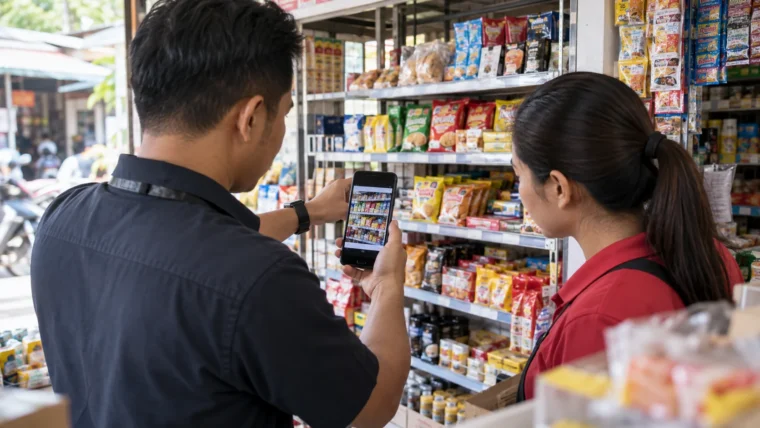

A store visit photo is usable retail execution evidence when it answers a defined task, is tied to a specific outlet and record, shows legible shelf context, carries a capture time inside the check window, and has a named review decision with a recorded reason. If any of those is missing, the image is stored but not usable as evidence.
A field manager opens a record and finds a photo of a shelf. The products are fronted and the price tags are visible, but no store name appears in the frame, there is no clue whether the shot was taken before or after the rep fixed the display, and no note explains what the rep was asked to check. The image is stored. It is not evidence.
What Makes a Store Visit Photo Usable as Evidence?
The usable unit is not a generic shelf shot. It is a photo that answers one named task and can be verified from surrounding record context. Different tasks need different framing: a planogram check needs the whole bay; an out-of-stock claim needs the empty facing plus the shelf tag; a promotion setup check needs the point-of-sale material in position relative to the product; a competitor observation needs the competing brand and price point readable.
Name who uses the photo and which decision it supports. If nobody can describe that decision, stop asking for the photo. Volume is a cost to the rep who captures it and the manager who reviews it.
Define the Business Question Before the Camera Opens
A photo requirement is useful only when it is written as a sentence with a subject and a test. Compare two instructions:
- Weak: ‘Take a photo of the shelf.’
- Usable: ‘Photograph the full chilled fixture including the price rail after restocking, so the planogram and shelf tags for the promoted SKU can be checked.’
One generic shelf photo rarely satisfies more than one task, so write the requirement per task rather than per trip. A clear instruction names the fixture, the condition and the decision the image supports.
The Anchors That Make a Store Visit Photo Traceable
Usability is mostly about what surrounds the image, not the megapixels. A photo kept inside a visit record inherits the store ID, the assigned staff member, the date and the task list. A photo sent through a chat app inherits none of that, and the reviewer has to rebuild context from memory.
Sequence matters as much as content. When the task is corrective, such as fixing a display, removing expired stock or repositioning a promotion, a before-and-after pair tells the reviewer what the rep found and what changed. A single after photo shows a tidy shelf and hides the problem.
Time deserves a verification question rather than an assumption. Ask the tool provider whether capture time is stamped by the workflow at the moment of capture or pulled from the device gallery on upload. The two behave very differently when a rep submits an older image.
| Criterion | What the reviewer checks | Typical fail |
|---|---|---|
| Business purpose | The photo answers a named task: planogram compliance, promotion setup, out-of-stock, POSM placement or competitor presence | Generic shelf shot with no task attached |
| Outlet association | The image sits inside the record for one store ID on one date | Photo parked in a chat thread with no store reference |
| Shelf context | Full fixture or bay visible, including price rail and neighbouring SKUs so position is identifiable | Close crop that could be any shelf in any store |
| Legibility | SKU names, facings and shelf tags readable at normal zoom | Blur, glare or underlit fixture |
| Sequence | Before-and-after pair where the task is corrective | Only the after shot, so the gap cannot be seen |
| Time | Capture time from the tool falls inside the check window | Gallery upload hours or days later |
| Handling | No customer faces, payment data, receipts or personal information in frame | Customer and till receipt captured by accident |
| Review status | Accepted or rejected by name, with a reason code where rejected | No record that anyone looked at it |
What a Store Visit Photo Cannot Prove
Be explicit about the limits so reviewers do not over-read an image. A photo does not prove sales impact, sell-through or that a shopper noticed the display. It does not prove the shot was taken when it was uploaded. It does not prove the shelf stayed compliant after the rep left. It shows one frame of one fixture at one moment, and only what is inside the frame.
Treat a photo as one evidence type among several: order data, stock counts, check-in records and follow-up notes. Where a conclusion depends on numbers, use the numbers rather than the image.
Do not assume that image recognition or fraud detection is performing the review behind the scenes. Unless a provider demonstrates a specific capability against your own sample photos, plan for a human decision and staff the queue accordingly.
An illustrative, hypothetical case: a rep submits a clear endcap photo for a two-week promotion, but the shot is cropped, taken before the display was built, and uploaded after the record closed. It passes a superficial glance and fails every criterion above. The reviewer rejects it with the reason ‘no before-and-after pair, capture outside check window’ and asks for a retake.
Review Ownership, Retake Reasons and Handling Rules
Assign one review owner per team, not ‘whoever is free’. Agree a review window, for example the same working day, and publish a short reason-code list so rejections teach something. Workable codes include: subject out of frame, unreadable, wrong fixture, missing price rail, no sequence pair, capture outside the check window, and personal data visible.
Track retake rate as a data-quality signal about task design and briefings, not only about reps. A high retake rate on one task usually means the instruction is ambiguous, not that the field team is careless. A related discipline for the audit side is covered in Store Audit Data Quality: Test It Before Buying SFA Software, and rejection handling is explored in Reason Codes for Failed Store Visits.
On handling, keep collection minimal: no faces, no identity documents, no customer records, no payment slips. Frame the fixture, not the people around it. Retention and deletion should follow your own company policy and any local requirements, so confirm those before setting anything in the app.
Pre-Submission Checklist for the Rep
- The photo answers the task written on the record, not a general impression of the store.
- The full fixture, price rail and one neighbouring SKU are in frame.
- SKU names and shelf tags are readable without enhancement.
- A before shot exists when the task involves a correction.
- The capture happens inside the check window, in the record rather than the gallery.
- No customers, staff faces, receipts or personal documents are visible.
- A short note states what was found and what changed.
Keeping evidence attached to the record is the difference between an archive and a reviewable workflow. Airpalm describes mobile visits, route planning, store audits, sales orders, inventory and promotion management on airpalm.com (checked 2026-10-09). If you evaluate any platform, ask for a walkthrough using your own sample stores and required fields, and confirm photo review permissions, reason codes and retake flows rather than assuming them. Visit quality measurement more broadly is discussed in How to Measure Store Visit Quality in FMCG Field Sales.
Frequently Asked Questions (FAQ)
Does a timestamped photo prove the store check actually happened?
No. A timestamp only tells you when the tool recorded the capture. Pair the photo with the check-in, the completed task list and any order or stock data from the same record before treating the check as evidenced.
How many photos should a store check require?
There is no universal number. Ask for one photo per task that genuinely needs visual verification, such as a planogram check or a promotion build, and none for tasks that are better evidenced by data. Extra photos with vague instructions add review work without adding proof.
Can photos be used to judge a rep’s performance?
Use them carefully. A photo shows conditions at one moment, not the cause of a result. Retake rates and rejection reasons are more useful as signals about task design and briefing quality than as a stand-alone performance score.
What should we do about customers appearing in photos?
Avoid capturing them. Frame the fixture only, reframe or retake if someone is in shot, and do not collect personal information you do not need. Retention and deletion follow your company policy and any local requirements.
Put this guide into practice
This general-purpose worksheet is a starting point. Adapt its fields, responsibilities and rules to your business process.